 Concrete batching plant software
TruckWeightScale · Truck weighbridge
TruckWeightScale: a weighbridge connected straight to the concrete plant
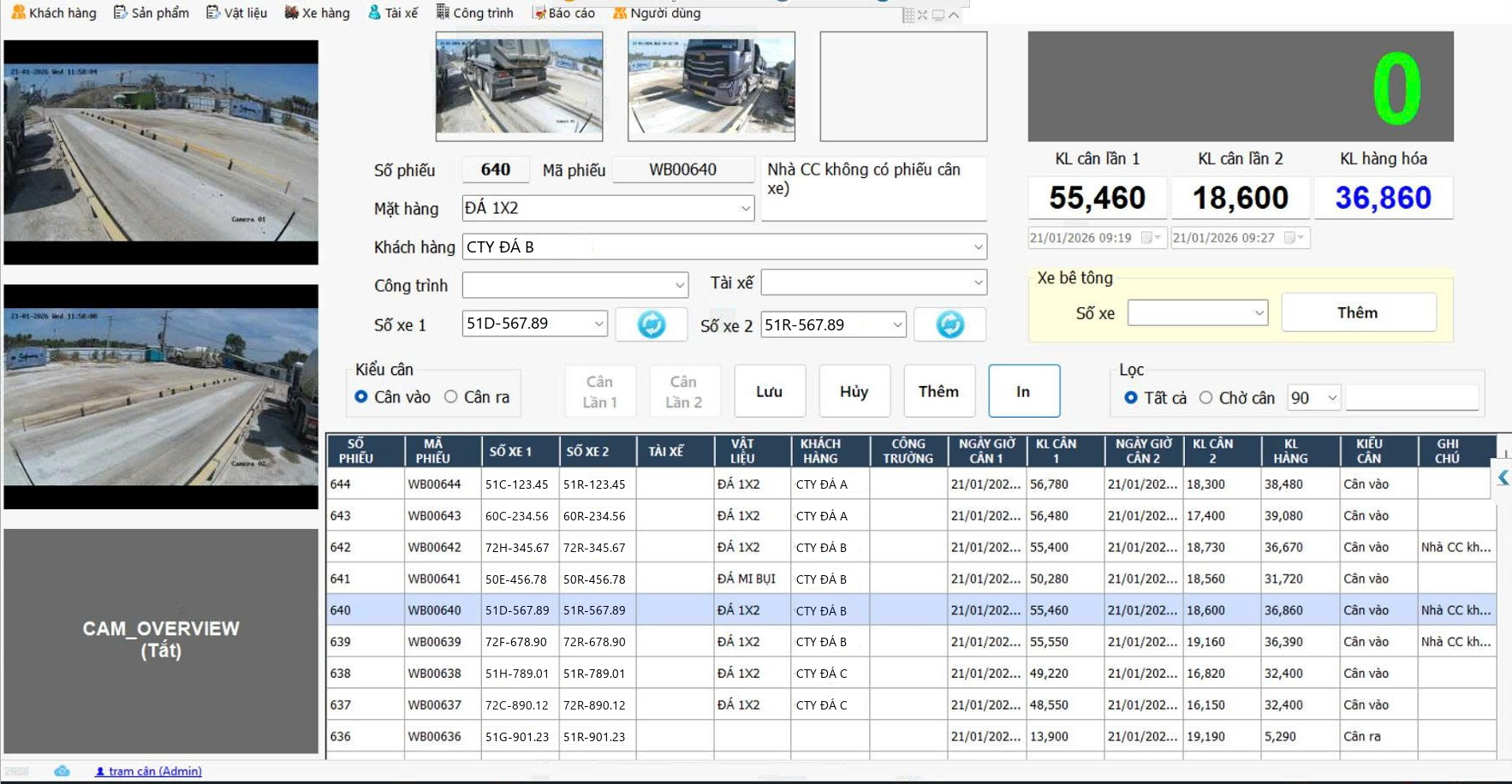
Weighs materials in and concrete out. The driver hands over the ticket, the operator scans the QR code or picks the truck's row in the waiting list by hand; the weighed amount flows back to the right plant ticket on its own.
How to use
Pick the right truck instead of typing
- DriverHands over the delivery ticketThe ticket from the plant carries a printed QR code.
- Weighing operatorScan the QR or pick the truck's rowWhere there is a scanner, scan the code; where there is none, pick the truck's row in the waiting list by hand. The right ticket is selected, with no ticket number typed.
- WeighbridgeWeigh the truckThe weight comes straight from the scale indicator, with truck photos and the plate recognised by camera.
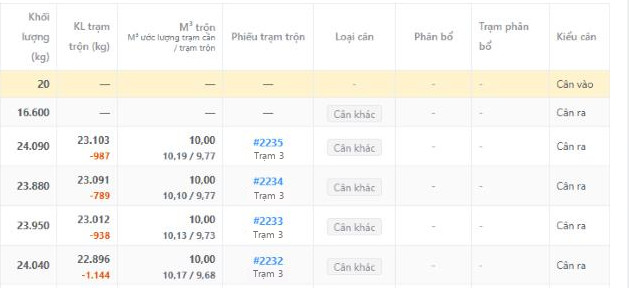
- AutomaticThe weight flows back to the plantThe actual weight attaches to the ticket already batched and shows beside the plant-reported weight on ConMixCloud.
Receiving
Materials in
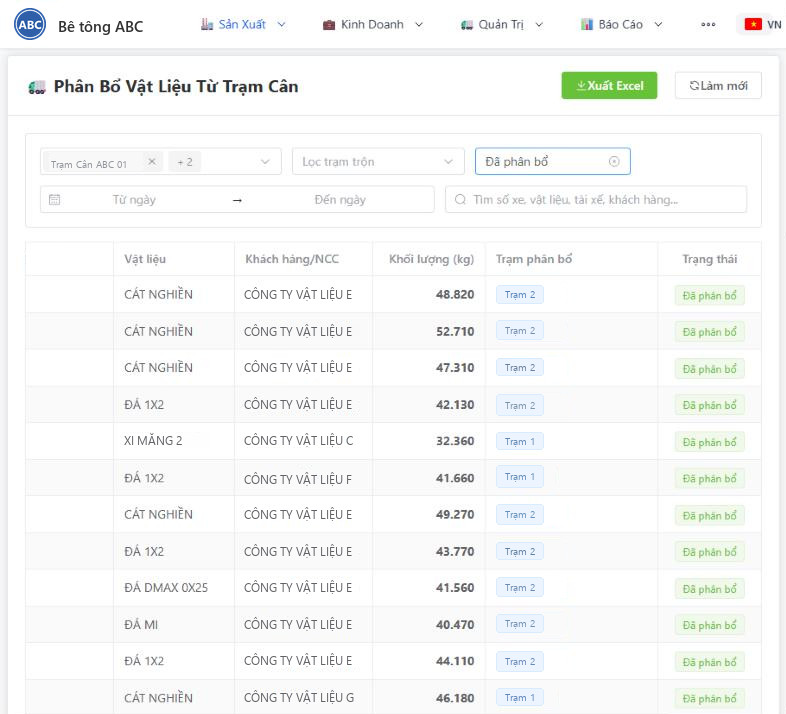
Weigh incoming materials too, and the weight goes straight into stock
Trucks carrying cement, sand, stone and admixtures also cross the weighbridge. The ticket is kept apart from concrete-out weighings and pushed to ConMixCloud to be allocated to the receiving plant and counted into stock.
- Ticket types: incoming material or other weighing (concrete out)
- Net weight is the difference between the two weighings, with truck photos, plate and supplier
- On ConMixCloud the ticket is “Waiting for allocation”; once allocated it becomes the plant's stock receipt
- Stock = opening + received − issued, where issued is the actual consumption of each batch
Compatibility
Scale indicators and devices
Reads 14 scale indicator models out of the box
No custom driver is needed for each indicator brand.
Brand names are only used to describe compatibility.
Devices at the weighbridge
- Plate recognition by camera, running in a separate process so it cannot take the weighing software down
- Truck photos, saved and printed with the weighing ticket
- Control of barrier, signal lights and LED display
Transparency
Evidence when there is a dispute
Truck and plate photos
Every weighing has a truck photo and the recognised plate, saved with the ticket.
Full action history
Who weighed and when is always recorded; a ticket cannot be edited after weighing.
Tare deviation alert
Detects an abnormal tare compared with the previous weighing of the truck.
Reliability
Runs offline, resends when the network returns
Keeps weighing when the network is down
Weighing and batching do not depend on the internet; the cloud is only where data is gathered.
- The database at the weighbridge is the queue for sending to the cloud
- Even a full day offline loses no records
- One weighbridge can serve several plants
Want to connect your weighbridge to the batching plant?
Tell us which scale indicator, how many weighbridges and how many plants you have.
+84 903 071 100
134/49B Duong Thi Muoi, Tan Thoi Hiep Ward, Ho Chi Minh City, Vietnam
0319406766